Building ZeroPaste: Rust + WASM on Cloudflare
We needed a fast way to share a single secret — a password, an API key, a token — over a one-time link, without having to trust the server that stores it. The result is ZeroPaste: an end-to-end encryptedⓘ, burn-on-read pastebin, written entirely in Rust → WebAssembly on a single Cloudflare Worker.
This article walks the technical decisions that shaped it: why we moved from Go to Rust, why one Cloudflare Worker with KV and a Durable Object turned out to be the right fit, and then the full deploy — Cloudflare and GitHub — including the permissions you need.
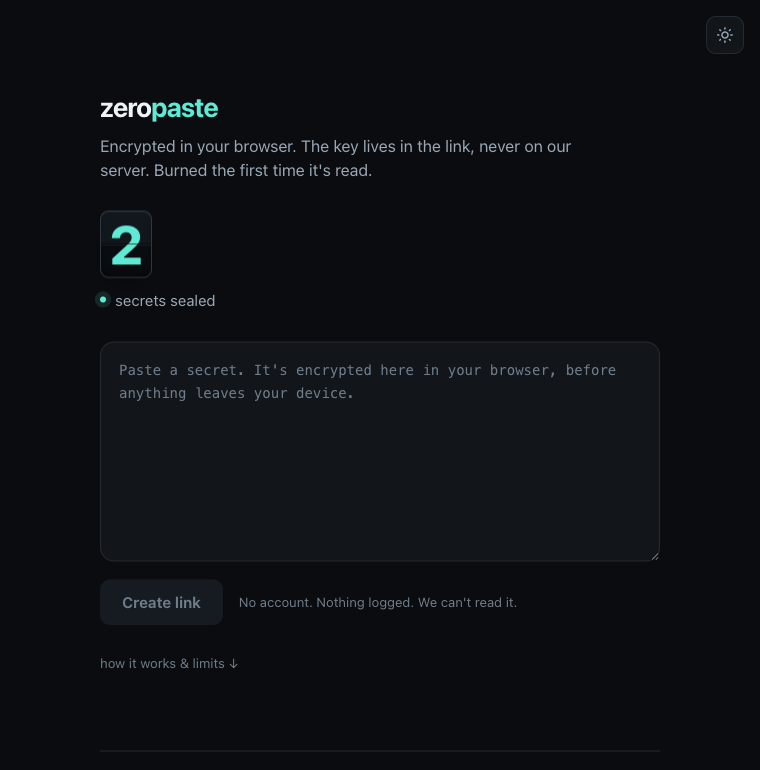
End-to-end encryption: the key lives in the link, not the server
The whole product is one sentence: the server can never read your paste.
When you create a paste, your browser generates a random AES-256 key and encrypts the text with
AES-256-GCMⓘ via the browser's native
Web Crypto APIⓘ — before anything is sent. The decryption key is placed
in the link after the #:
https://zeropaste.pangaea.id/#[link-id]:[key]
The trick is the #. The part after # (the URL fragment) is never sent by the browser to the
server in an HTTP request. So the server only receives the link-id (to look up the blob) and
opaque ciphertext — never the plaintext, never the key. That's what makes it
zero-knowledgeⓘ: even if our database is seized or subpoenaed, all
that's there is random data we cannot decrypt.
One important consequence: because the key is in the link, anyone holding the full link can read that paste once. The stored ciphertext is useless without the key half.
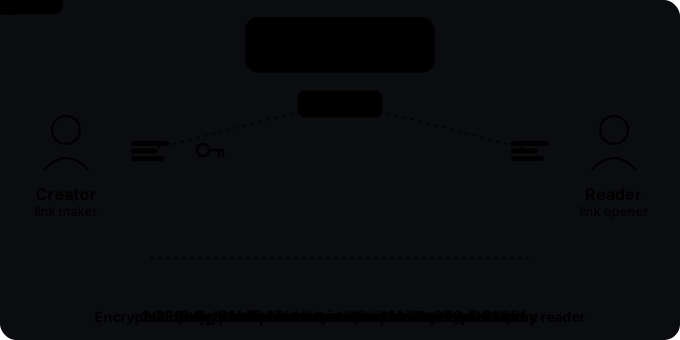
# fragment, never to the server.The decision: Go → Rust
The first plan used Go (TinyGo → WASM). We switched to Rust after weighing three things — and all three lean Rust for a crypto-centric product like this.
crypto/aesandcrypto/cipherfail TinyGo's own test suite — gambling self-rolled AES on an unverified implementation is the wrong call for a security tool.- The Worker SDK for Go is a third-party community project.
- A Durable Object must be written in JavaScript — its class can't be Go.
- The
aes-gcmcrate runs correctly in WASM — but we still call nativecrypto.subtle(audited, fast), so there's no compromise either way. workers-rsis the first-party Cloudflare SDK.- A Durable Object can be written in Rust (
#[durable_object]) — no JavaScript creeps in.
The third point decided it: we needed a Durable Object for one thing (next section), and in Go that
forces a slice of JavaScript into a project that was meant to be "Rust only." Rust makes the whole
stack one language — Rust on the backend (the worker), Rust on the frontend (the UI + the
crypto.subtle caller), both compiled to WebAssemblyⓘ.
Why a Worker + KV + one Durable Object
Storage looks trivial: store a blob, hand it back once, delete it. But one requirement forces an architecture choice — an accurate paste counter ("N secrets sealed" on the page).
We use Workers KVⓘ for the ciphertext: it's a global key-value store, perfect for stashing an opaque blob and handing it back. But KV is bad at counters:
- KV has no atomic increment. The only way is read-modify-write (
read N,write N+1). Two concurrent pastes both readNand both writeN+1— one increment is lost. - KV is eventually consistent and guides ~1 write/sec per hot key. A single global counter key is the worst case for KV.
A Durable Objectⓘ (DO) solves it. One DO instance is serialized
by its runtime — only one request runs at a time inside it — so tokens += 1 then storage.put is
atomic with no locking, and durable (it survives restarts, unlike an in-memory cache). That's
the exact counter KV can't give you.
It matters that SQLite-backed DOs are available on Cloudflare's free plan — so the atomic counter and the rate limiter add no cost.
Burn-on-read, click-to-reveal, and the prefetch trap
A paste disappears at whichever comes first: read once (burn-on-read), or expired at a 7-day backstop TTL if never opened. KV reaps the key server-side — no cleanup cron, and no orphaned pastes pile up.
But "read once" has a real-world trap. Messaging apps (Slack, WhatsApp, iMessage) and email scanners prefetch URLs to build a preview. If the page fetches the paste automatically on load, a preview bot would burn the paste before the human ever reads it.
The fix: click-to-reveal. Opening a #id:key link shows a "Reveal & burn" gate; the
GET /api/:id request (which burns the paste) only fires when the user clicks. A prefetch bot
that doesn't click can't burn it. We verified this in production: loading the page makes 0 /api
calls; clicking makes exactly one.
Configuration: all via env
Every behavior you might want to change lives in wrangler.toml [vars] — edit, then redeploy:
[vars]
PASTE_TTL = "604800"      # burn-on-read backstop, seconds (7 days)
COUNT_CACHE_TTL = "60"    # per-isolate counter read-cache, seconds
RL_BURST = "10"           # rate-limit token bucket capacity per IP
RL_REFILL_SEC = "6"       # seconds to regenerate 1 token (~10/min)
MIN_CHARS = "3"           # minimum length (FE + server validation)
CANARY_SINCE = "30 June 2026"   # warrant canary date
CONTACT_EMAIL = "[email protected]"
A GET /config endpoint returns JSON {min_chars, canary, contact}; the frontend injects the canary
date and contact email from it, and security.txt is generated by the worker from CONTACT_EMAIL.
One source of truth.
Deploying it: Cloudflare + GitHub Actions
The build isn't trivial: there are two WASM artifacts — the worker (via worker-build, run
automatically by wrangler deploy) and the frontend (via wasm-pack). make deploy chains both. We
chose GitHub Actions + a token (not Cloudflare's built-in Git integration) because Actions gives
full control over the Rust+WASM toolchain.
One-time Cloudflare setup:
- KV namespace —
wrangler kv namespace create PASTES, then paste the id intowrangler.toml. - Durable Objects — nothing to pre-create; the
[[migrations]](new_sqlite_classes) apply automatically on the first deploy. - Custom domain — a
[[routes]]block withcustom_domain = trueforzeropaste.pangaea.id; Cloudflare manages the DNS record + TLS cert.
The API token permissions you need. This is a Workers tool, not Pages — pick the wrong
product and the deploy fails. The quickest route is Cloudflare's "Edit Cloudflare Workers"
API-token template (My Profile → API Tokens → Create Token). If you build a custom token
instead, it needs all of these — miss one and wrangler deploy errors out partway:
Account · Workers Scripts ............ Edit   deploy the worker + its Durable Object classes
Account · Workers KV Storage ......... Edit   read/write the PASTES namespace
Account · Account Settings ........... Read   wrangler resolves which account to use
Zone    · Workers Routes ............. Edit   bind the worker to zeropaste.pangaea.id
Zone    · DNS ........................ Edit   create the custom-domain record
Zone    · SSL and Certificates ....... Edit   issue the cert for the custom domain
User    · User Details ............... Read   token verification / wrangler whoami

Account Resources:  Include · <the account that owns zeropaste>
Zone Resources:     Include · pangaea.id
Two things people miss: Durable Objects need no separate permission — Workers Scripts · Edit
already covers deploying their classes and applying migrations; and the three Zone rows (Routes,
DNS, SSL) exist only for the custom domain — drop them if you ship to the free
*.workers.dev subdomain instead.
Do
- Start from the "Edit Cloudflare Workers" template, then add DNS · Edit and SSL and
Certificates · Edit on the
pangaea.idzone for the custom domain. - Scope Account Resources and Zone Resources to the one account / one zone that owns it.
Don't
- Use a Cloudflare Pages token — it can't deploy a Worker (different product, different scope).
- Reach for the Global API Key — it's account-wide; a narrow token limits the blast radius if it leaks.
One-time GitHub setup:
- Repository secrets — add
CLOUDFLARE_API_TOKENandCLOUDFLARE_ACCOUNT_IDunder Settings → Secrets and variables → Actions → New repository secret. - Let Actions open the canary PR — Settings → Actions → General → Workflow permissions → tick "Allow GitHub Actions to create and approve pull requests." Without it, the weekly warrant-canary workflow has the permission to commit but can't open its PR, and the job fails.
After that, a push to main deploys itself.
The bottom line
ZeroPaste is small, but every piece is a decision: Rust so the crypto is reliable and the Durable Object stays one language; Worker + KV for opaque ciphertext; one Durable Object for the counter KV can't make atomic; click-to-reveal so preview bots don't burn your secret; and GitHub Actions so one push ships the whole thing. What makes it trustworthy isn't a promise — it's a fact you can watch in the Network tab: the key never leaves your browser.
Why not Cloudflare's built-in Git integration instead of GitHub Actions?
The build needs two separate Rust→WASM builds (the worker via worker-build, the frontend via
wasm-pack). GitHub Actions gives full control to install that toolchain; Cloudflare's built-in build
runner can, but it's fiddlier for the Rust+WASM toolchain. So Actions is the better fit here.
If the key is in the URL, isn't it leaked in browser history?
The # fragment is stored in your own browser history — but it's never sent to the server, never in
server logs, and never in a cross-site Referer header. The risk is local (your device), not on the
host. And the paste is burn-on-read: once it's read, the link is useless anyway.
Is the counter really atomic on the free plan?
Yes. SQLite-backed Durable Objects are available on Cloudflare's free plan, and the DO runtime serializes requests to one instance — so the increment is atomic with no locking. That's exactly why we use a DO for the counter, not KV.
Sources