Shipping a design system at ui.pangaea.id
ui.pangaea.id is the catalog for the Pangaea design systemⓘ — where every UI component lives as a page you can browse, drive with controls, and copy the usage of. This is the story of how we pulled it out of one app, packaged it as versioned packages, published it to a registry, deployed the catalog to its own subdomain — and automated every component's release with Changesetsⓘ.
Why we pulled the UI out
Every surface of pangaea.id grew from one rv-* system: color tokens, typography, and React
components — but all of it was trapped inside one app. No other surface could use it without
copy-paste. So the goal was clear: pull that system out into standalone, versioned, consumable
primitives — so pangaea.id and future Pangaea surfaces draw from one shared source.
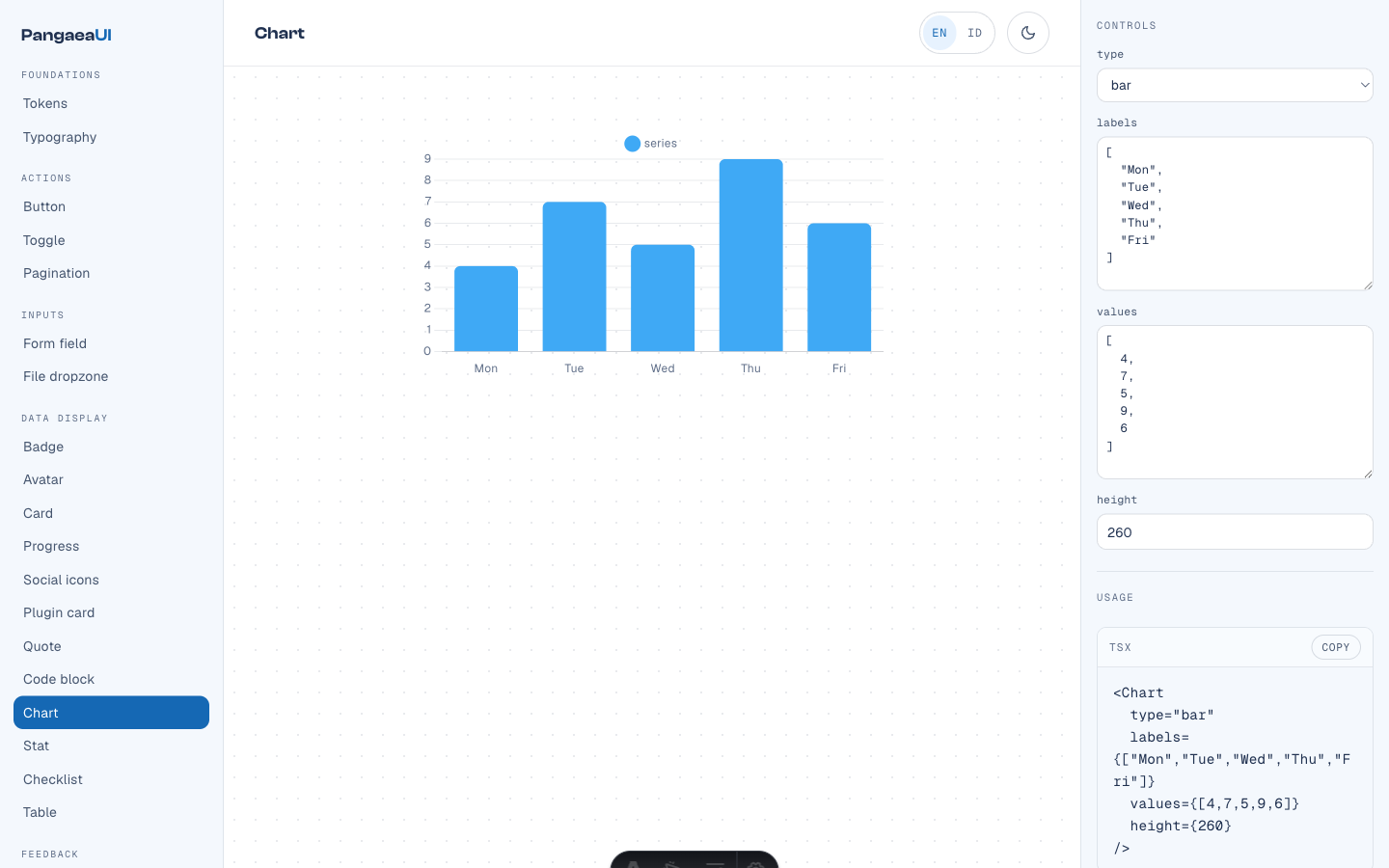
The catalog itself has a job: one place to browse each component, press-test every state (press the button, open the modal), and copy its exact usage. The right pane surfaces one control per prop, so you can turn a component into the shape you want, then copy the finished snippet.
One repo, many packages — the decision
There are three ways to package a set of components. We chose the third, and the reason matters.
- Every component in a single
@labspangaea/ui. Fix one button → everyone gets a new version, even though nothing changed for them. A consumer pulls the whole system just to use one card.
- Each component its own GitHub repo (polyrepo). Cleanly versioned, but 37 repos to clone, CI, and keep in sync. Changing one color token means a pull request in many places.
- One monorepoⓘ holding one versioned package per component —
@labspangaea/ds-button,@labspangaea/ds-card, and so on. One place to read and CI, but each component versions on its own. This is the shape Radix, MUI, and Chakra use.
The glue that makes it work is in every package.json: React is a
peer dependencyⓘ (not a plain dependency), so consumers never pull
a second copy of React; each package ships its own CSS, precompiled from the --rv-* tokens; and
all packages sit in one npm workspaceⓘ so they link locally during
development. The result: @labspangaea/ds-button can release to 0.1.2 while the other 36 packages
stay at 0.1.0.
How the catalog deploys to ui.pangaea.id
The catalog is a static site (built by Astro). It compiles to a dist/ folder, then deploys to
Cloudflare Pagesⓘ — the exact same pipeline as pangaea.id itself. Only two parts are specific:
creating the Pages project, then attaching the subdomain.
Step 1 — create the Pages project (once)
wrangler pages deploy does not auto-create the project; it errors Project not found. Create it
once first, from the terminal:
npx wrangler login   # browser OAuth, one time
npx wrangler pages project create pangaea-ui --production-branch main
The name, pangaea-ui, must match --project-name in the deploy workflow exactly. After that every
push to main builds the catalog and runs wrangler pages deploy apps/gallery/dist --project-name=pangaea-ui — live in seconds.
Step 2 — point the subdomain with a CNAME
The site is already live at pangaea-ui.pages.dev. To give it the pretty address ui.pangaea.id,
add a custom domain to the Pages project, then one CNAMEⓘ in DNS:
ui.pangaea.id CNAME pangaea-ui.pages.dev
Because pangaea.id's DNS is already on Cloudflare, adding the custom domain at
Workers & Pages → pangaea-ui → Custom domains → ui.pangaea.id creates that CNAME record
automatically and provisions its TLS certificate. Open ui.pangaea.id, and the catalog serves at the
root.
Releasing a component — how Changesets works
This is the centerpiece. How a change to one button turns into a published 0.1.2 version, without
you ever typing a version number by hand.
A changeset is one small .changeset/*.md file you commit alongside your change. It holds just
two things: which package bumps and by how much (patch/minor/major), plus one changelog line.
---
"@labspangaea/ds-button": patch
---

Add a `loading` prop to Button.
From there, three commands do the rest — and you almost always only run the first:
changeset— creates the.mdfile above (picks the package + size + summary).changeset version— applies all changesets: bumps theversioninpackage.json, writesCHANGELOG.md, then deletes the consumed changeset files.changeset publish— publishes any package whose version isn't on the registry yet, and pushes its git tag.
The bump size follows semantic versioningⓘ: patch
(0.1.0 → 0.1.1) for fixes, minor (0.1.0 → 0.2.0) for backward-compatible features, major
(0.1.0 → 1.0.0) for breaking changes. Publishing targets
GitHub Packagesⓘ under the @labspangaea
scopeⓘ — which matches the repo owner, because that's what GitHub
Packages requires.
The release pipeline, end to end
When a changeset lands on main, one CI/CDⓘ run does this whole chain
itself:
From 2 PRs to 1
The first release took two manual merges. We fixed it to one. The difference is who merges the Version PR — you, or the bot.
- Your PR (code + changeset) → you merge.
- The Version PR (bump + changelog) → you merge again. That second manual step was the chore.
- Your PR (code + changeset) → you merge.
- The Version PR → the bot opens and merges it, then publishes — all in one run. You never touch the second PR.
The trick: a merge made by the built-in GITHUB_TOKEN does not trigger a new workflow run
(GitHub blocks that to prevent a loop). So instead of waiting for the merge to trigger a publish, the
workflow merges the Version PR and then publishes in the same run. No Personal Access Token, no
second merge. The only manual step left in the whole release is writing the changeset.
What's next — moving www.pangaea.id onto the design system
The catalog at ui.pangaea.id is the packages' home; the next step is making www.pangaea.id consume
them. apps/labs will add the @labspangaea/ds-* packages it uses, import them at build time,
and vite-react-ssg prerenders them — so the HTML stays complete for crawlers, the CSP stays clean,
and the deploy stays static (the SEO-safe model; no runtime fetch).
revamp.css is then progressively replaced by the CSS from @labspangaea/ds-tokens plus the
components. Because the --rv-* token names are kept, the migration is mechanical: swap one component
at a time, verify, move on. The system that was once trapped in a single app becomes the shared UI
layer for every Pangaea surface — with www first.
The story behind the decision — the runtime module federation we nearly built and didn't — is in the build diary: The federation we didn't build.
Common questions
Why one package per component instead of one big package?
So each component versions on its own. With one big package, fixing one button forces a new version for everyone — even though nothing changed for them, and consumers pull the whole system just to use one card. One versioned package per component (the Radix/MUI/Chakra shape) means @labspangaea/ds-button can go to 0.1.2 while the other 36 packages stay at 0.1.0. It all stays in one monorepo, so it's still one place to read and CI.
Why GitHub Packages instead of public npm?
Because the packages live in the same repo as their owner (labspangaea), and GitHub Packages maps the npm scope to a GitHub account of the same name — so @labspangaea/* publishes right under the account that owns the repo, with no separate registry to run. Consumers add one .npmrc line pointing the @labspangaea scope at GitHub Packages.
Does the catalog need JavaScript to work?
The catalog is a static site (Astro) with one React island for the interactive controls. The pages prerender to HTML, then the island powers the controls and the live canvas. The published components themselves ship plain CSS from the --rv-* tokens, so even a non-Tailwind consumer can use them with no extra runtime.
How do I release an update to a component?
Run npm run changeset, pick the package and bump size (patch/minor/major) plus a one-line changelog, then commit and push that file to main. CI opens the Version PR, auto-merges it, and publishes only the changed package — one run, no manual merge. The only manual step is writing the changeset.
Sources